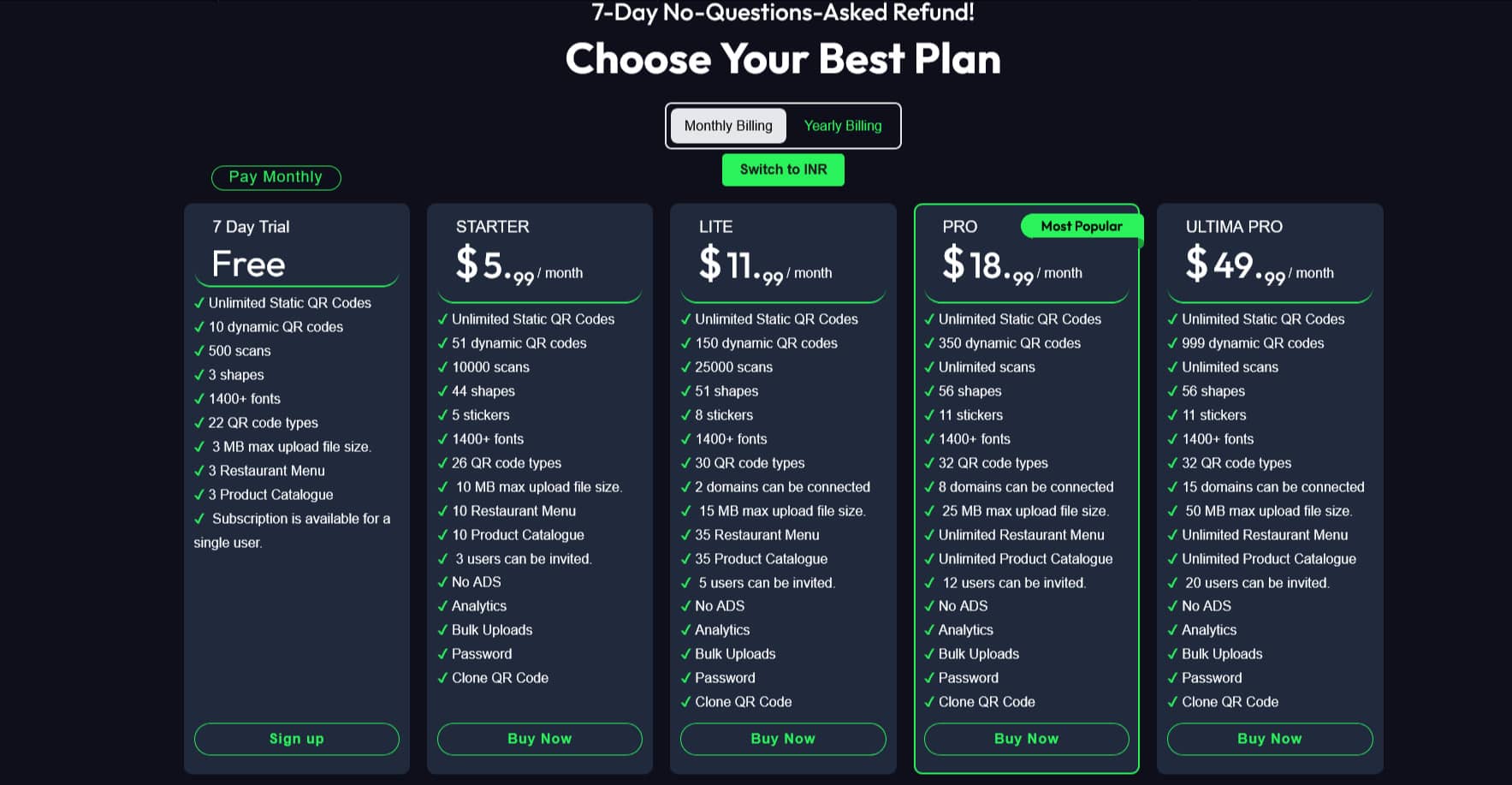
Move to step 2 below to proceed.
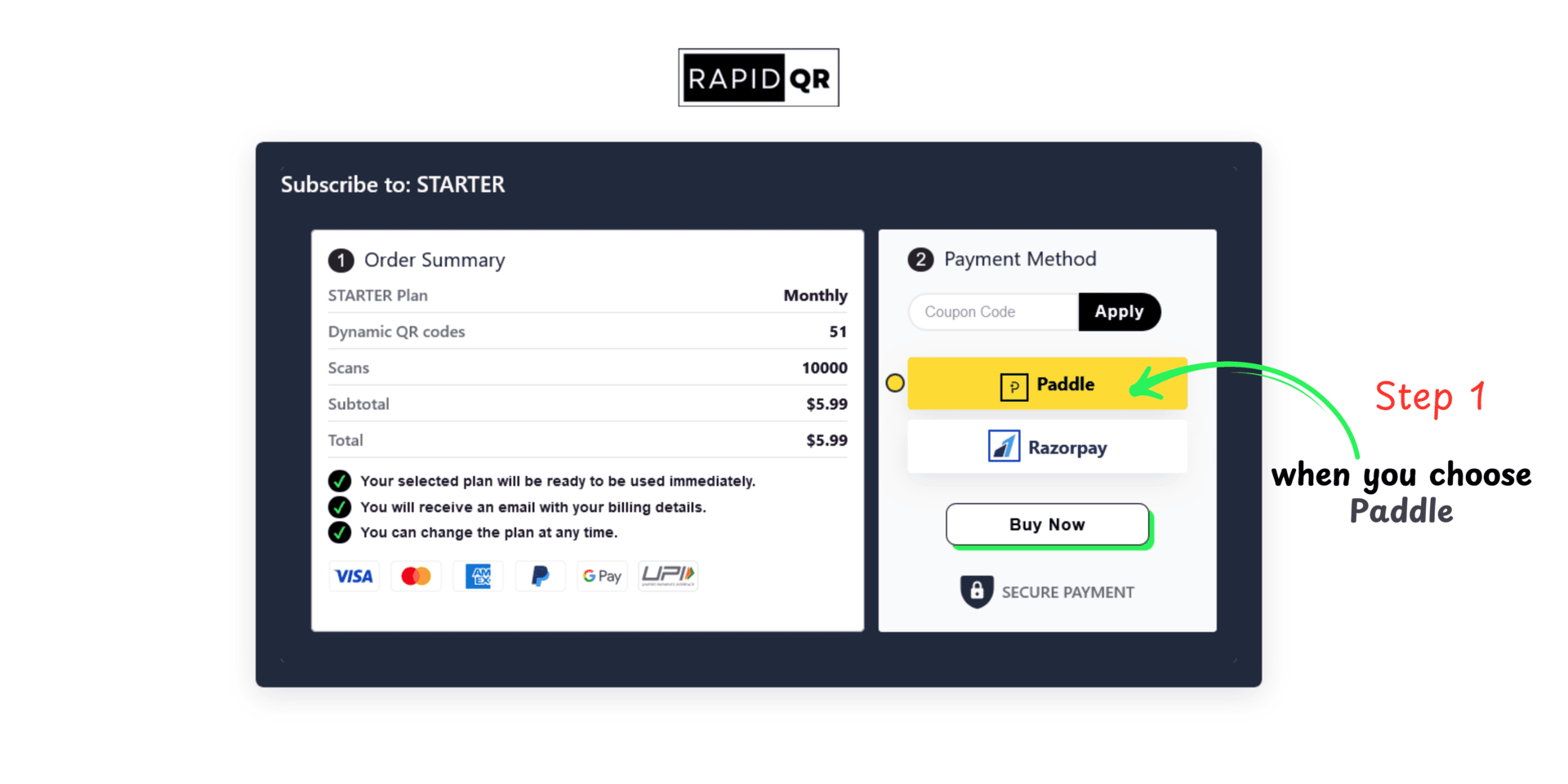
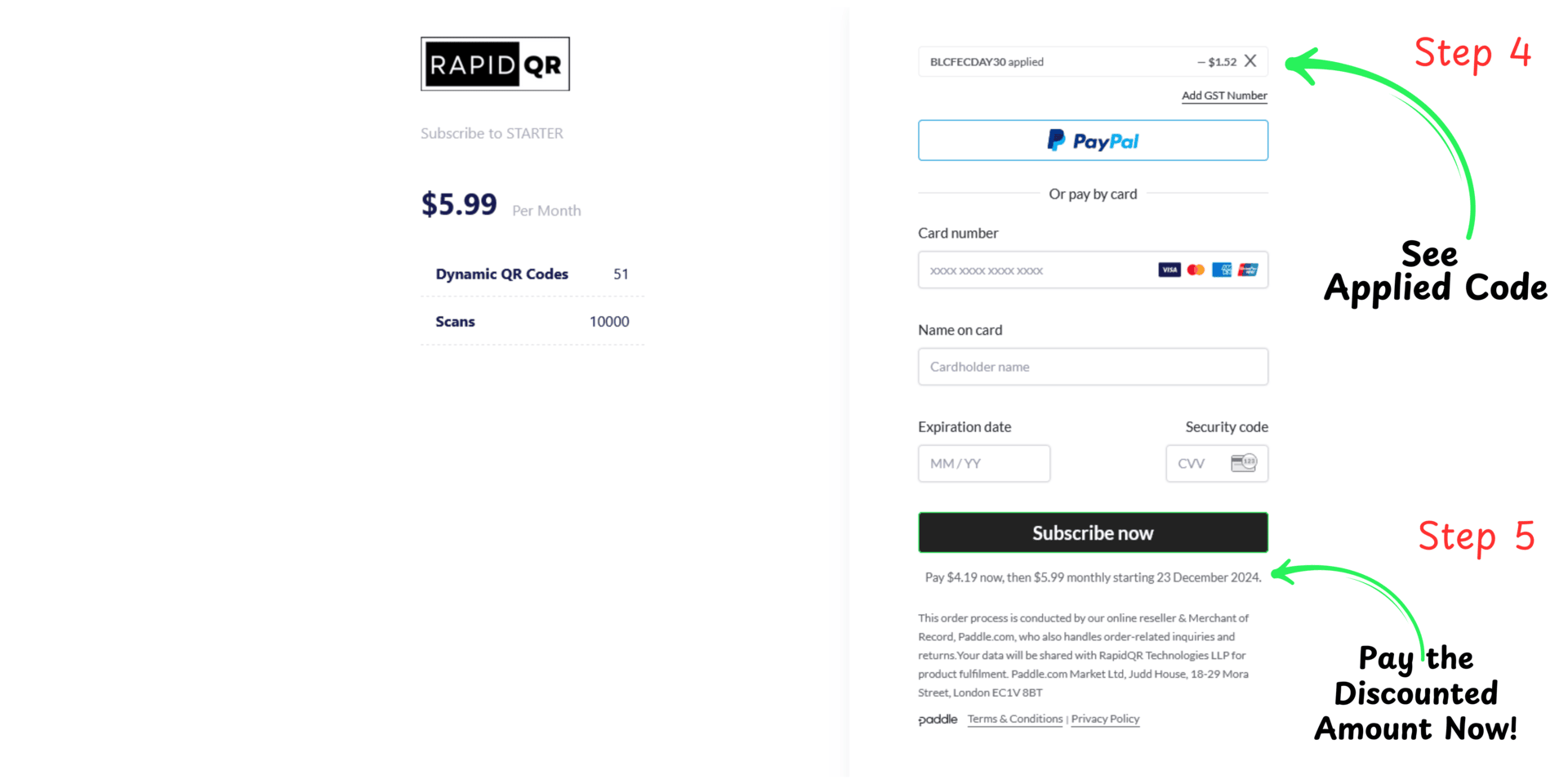
Select the Paddle payment method and follow the instructions shown in the image below.
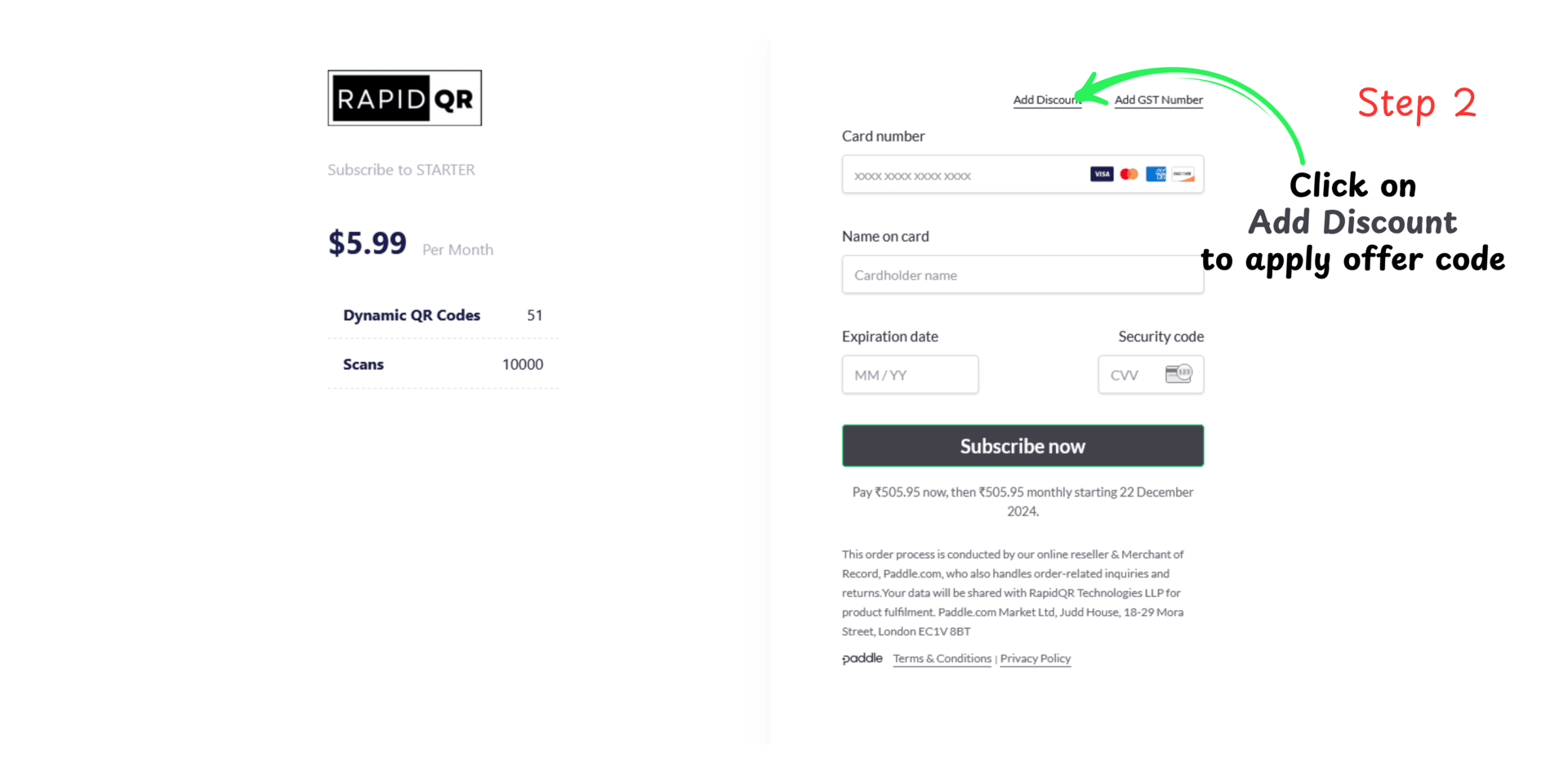
Select the "Add Discount" option shown above.
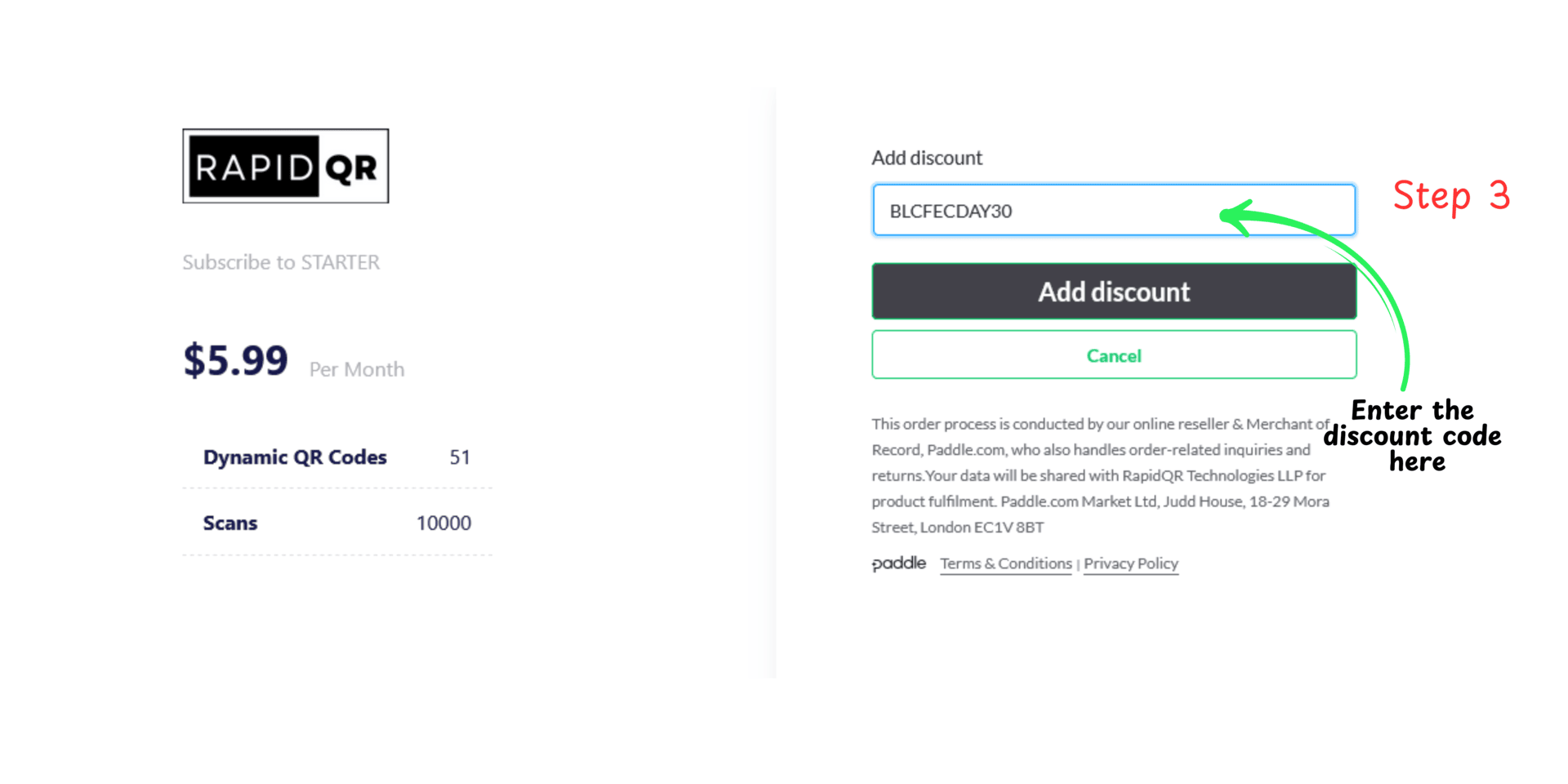
Enter the discount code you see after this step and click on the "Add Discount" button.
You will see the applied discount and the payable amount. Now, happily subscribe to the plan!
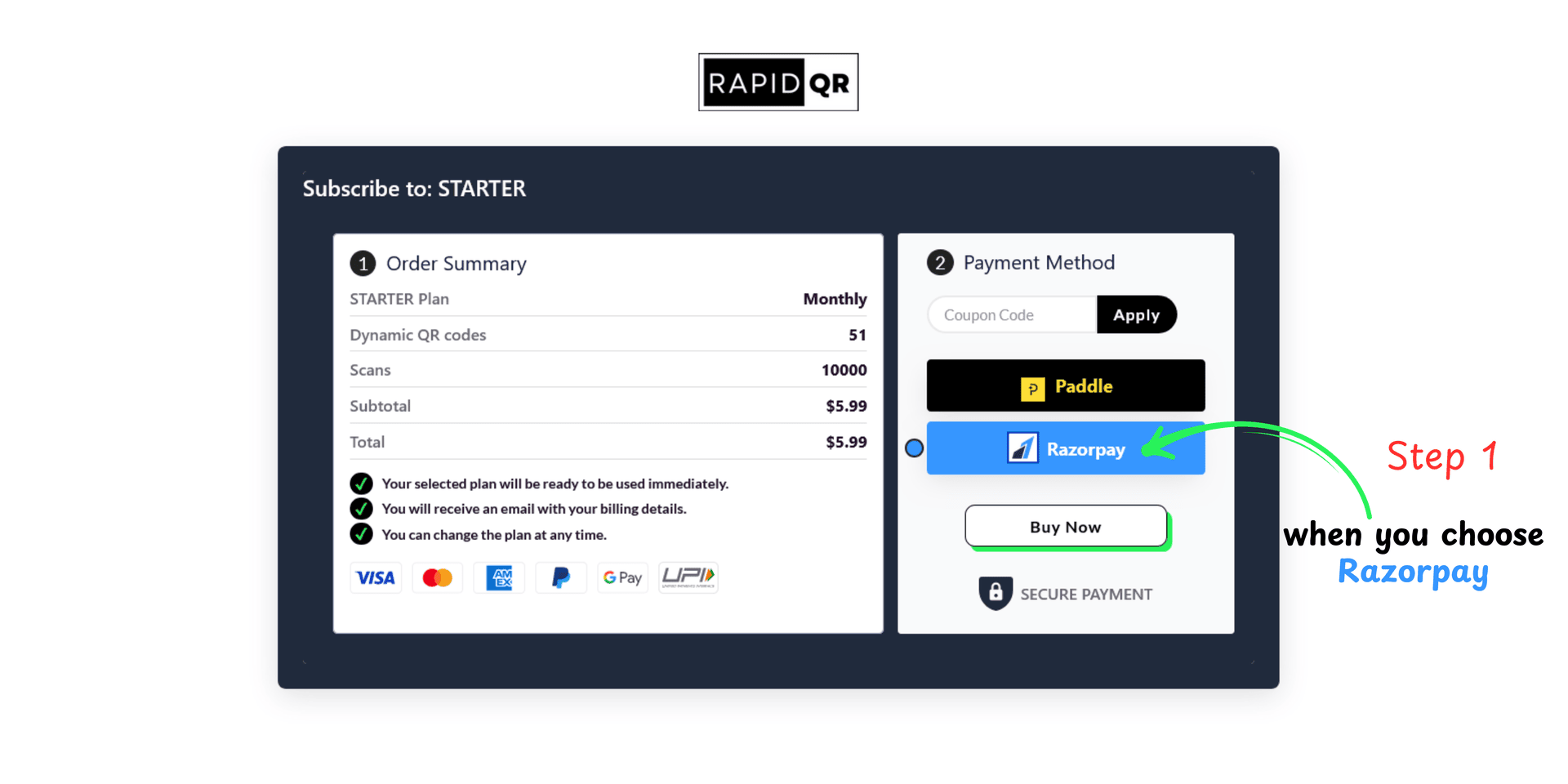
Choose the Razorpay payment option from the list and carefully follow the instructions provided in the image below.
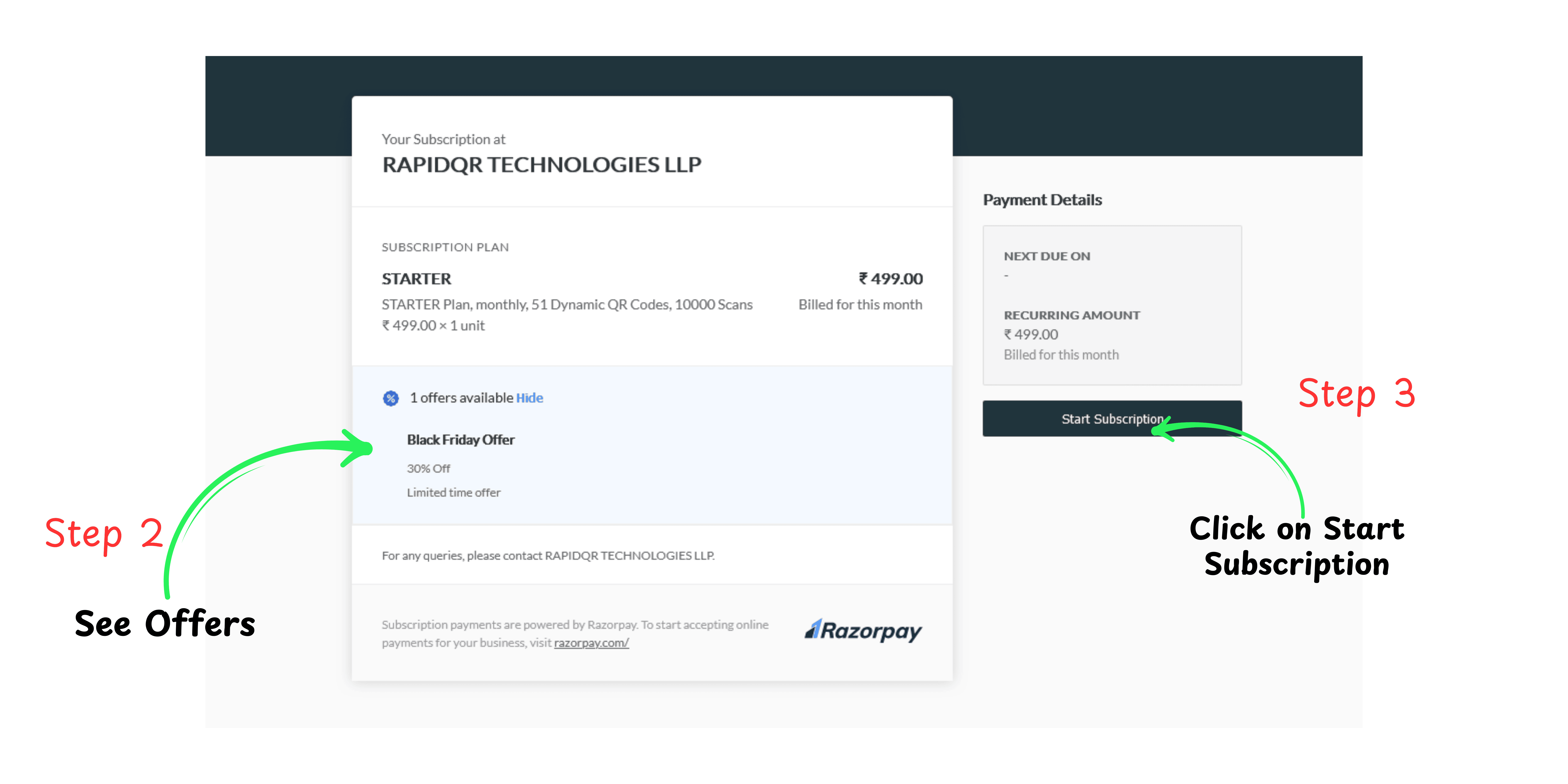
Refer to the highlighted *Step 2* in the image below. You’ll find an exciting 30% discount available. Proceed to activate your subscription!
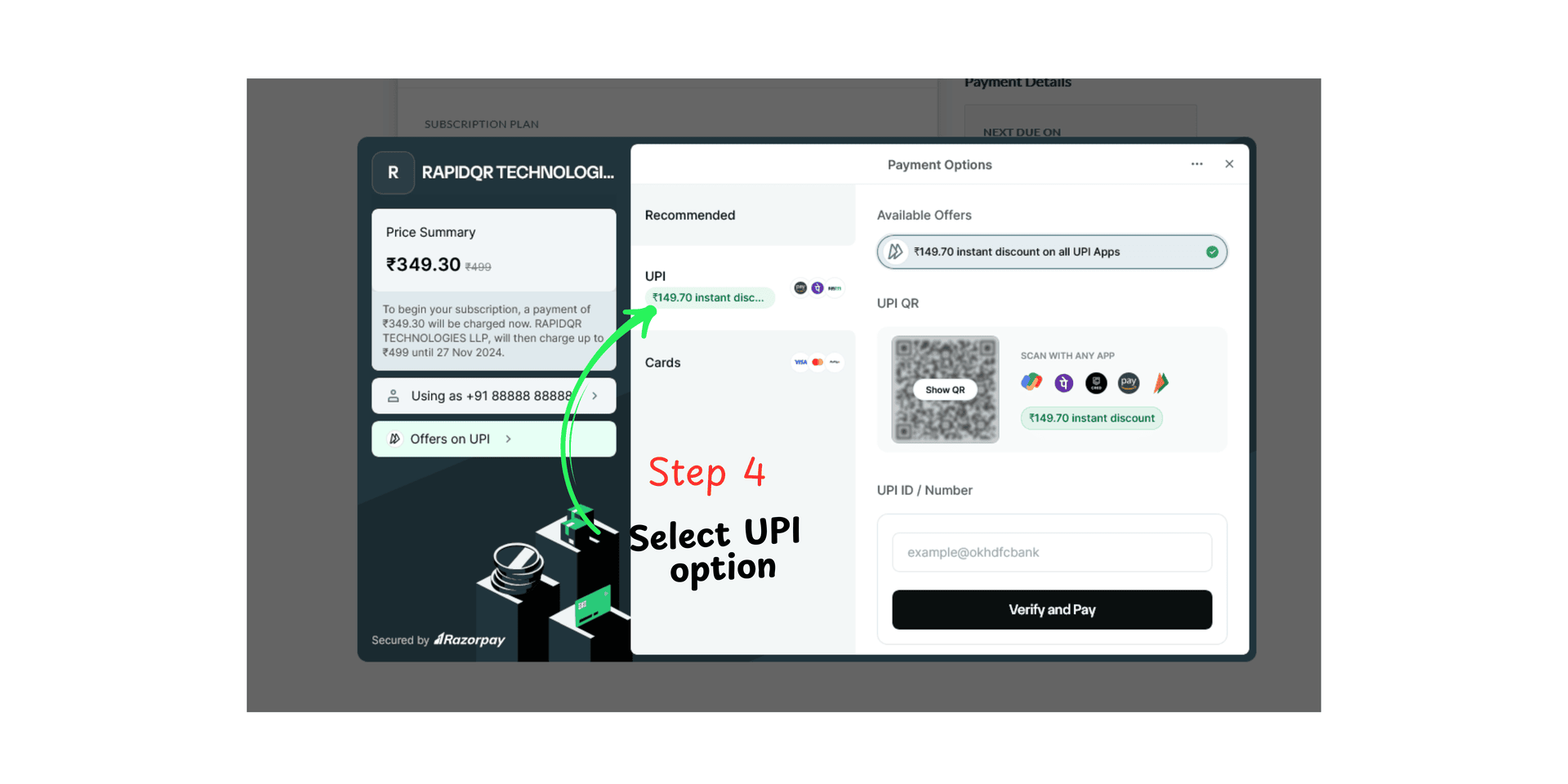
To apply the offer instantly, select the UPI payment option. You’ll see the discounted price updated before proceeding with payment.
Get 7 days free trial after sign up, no credit card is required.